
Supply Hub
Supply Hub replaces spreadsheets, email chains, and paper receiving slips with a single connected workflow — from noticing low stock, to requesting and approving a purchase, to ordering, receiving, and keeping an audited record of every unit that moves.
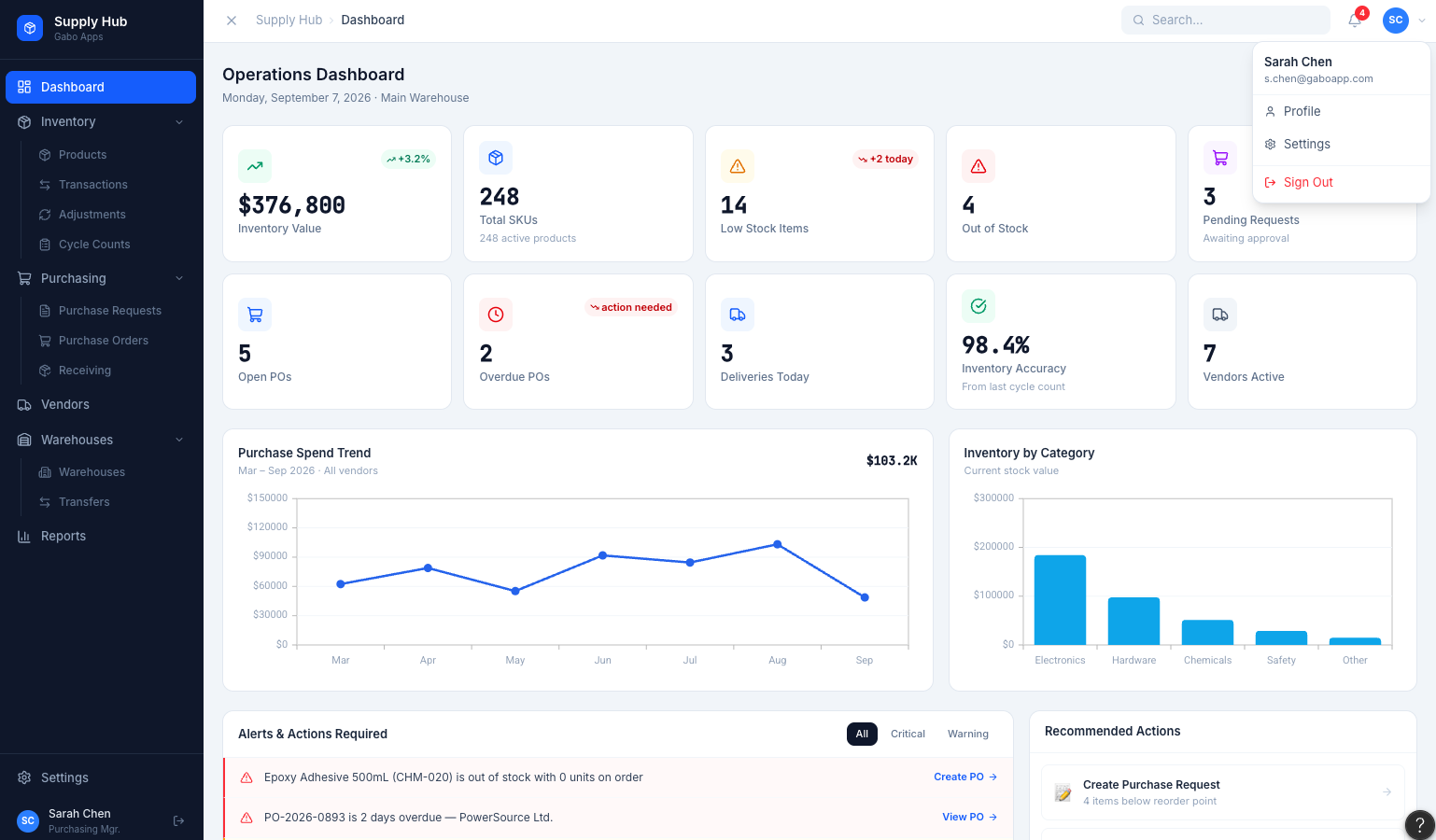
Built around six questions every operations team asks
Instead of a pile of generic inventory features, Supply Hub is organized around the questions a purchasing manager actually needs answered — fast.
01
What do we have?
02
Where is it?
03
What are we running out of?
04
What should we buy?
05
What have we ordered?
06
What actually arrived
Inventory
Real-time stock levels, down to the bin
Every product tracks on-hand, available, reserved, and on-order quantities against its reorder point — with full purchasing history and movement logs one click away.
- On-hand vs available vs reserved vs on-order, always in sync
- Warehouse and bin-level location tracking
- Reorder points with automatic low-stock flags
 Click to expand
Purchase Requests
Approvals that don't live in an inbox
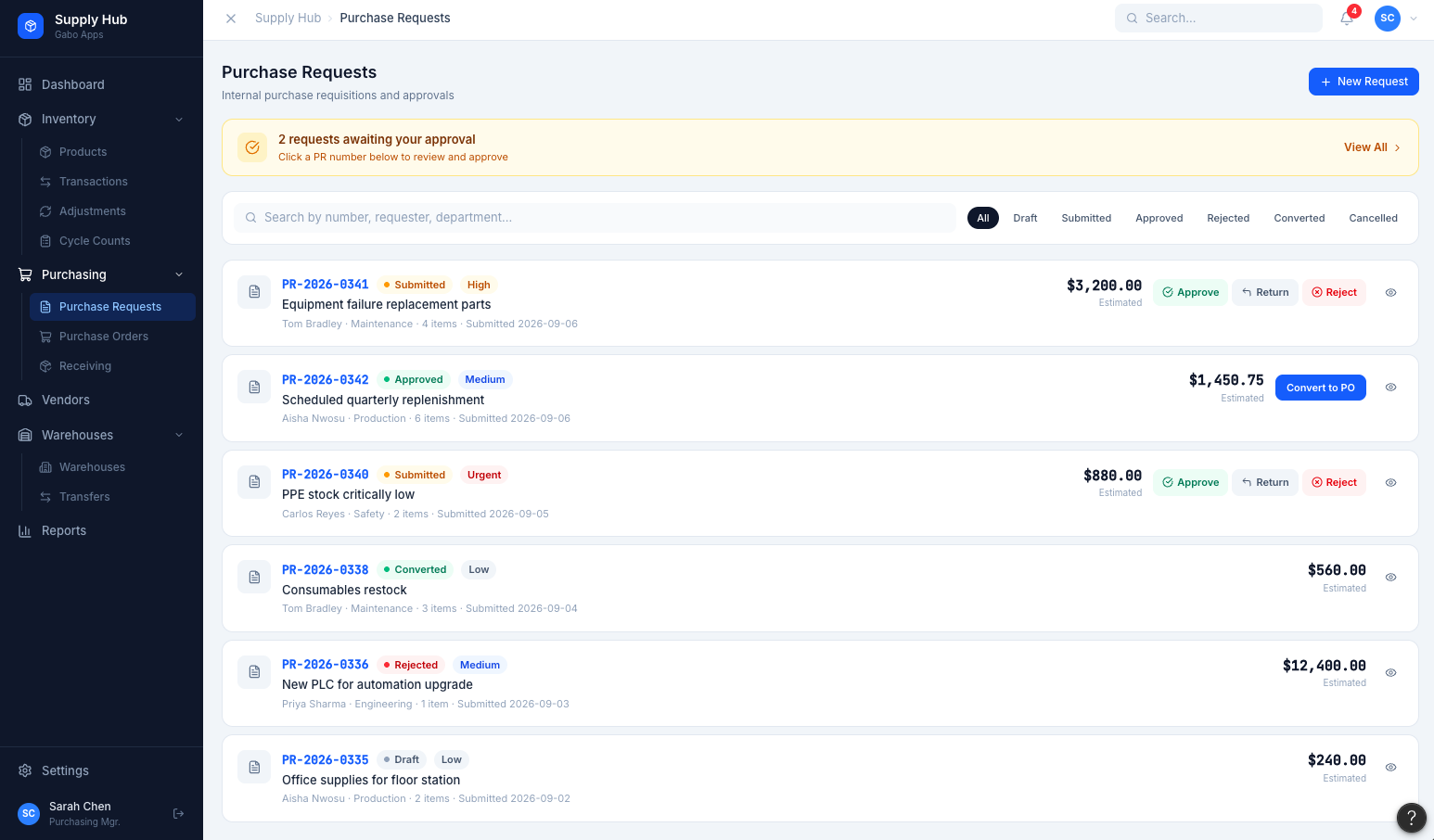
Anyone can raise a purchase request; managers approve, reject, or send it back with a comment — all with priority, status, and estimated cost visible at a glance.
- Draft, submitted, approved, rejected, and converted states
- One-click approve/return/reject, right from the list
- Approved requests convert straight into a purchase order
 Click to expand
Purchase Orders
Every PO, tracked from sent to closed
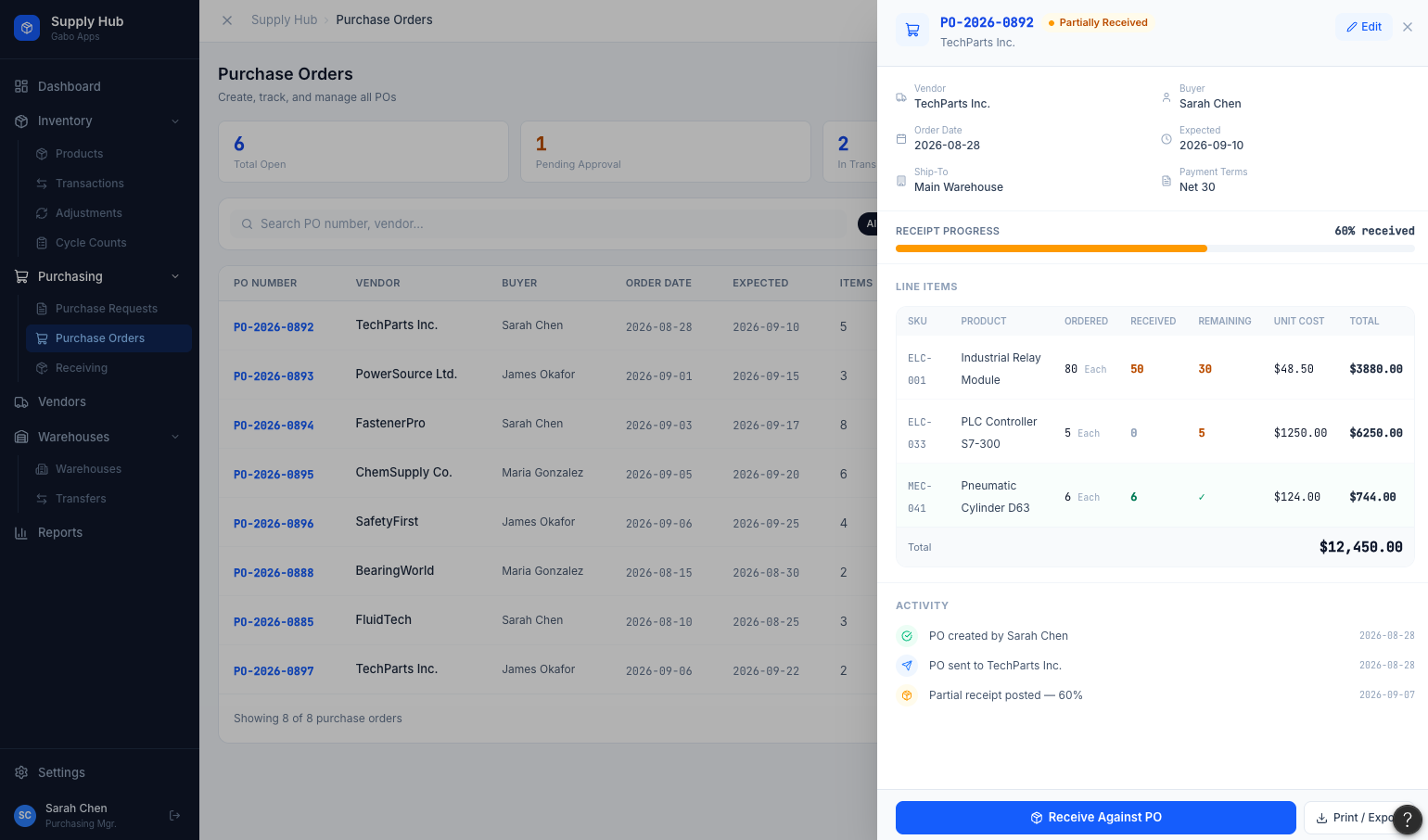
Purchase orders carry vendor, buyer, line items, and cost — and update automatically as receipts come in, so "partially received" always means exactly what's still outstanding.
- Ordered, received, and remaining quantity per line item
- Full activity timeline: created, sent, partially received, closed
- Printable/exportable PO documents
 Click to expand
Reporting
Reports built for the question you actually have
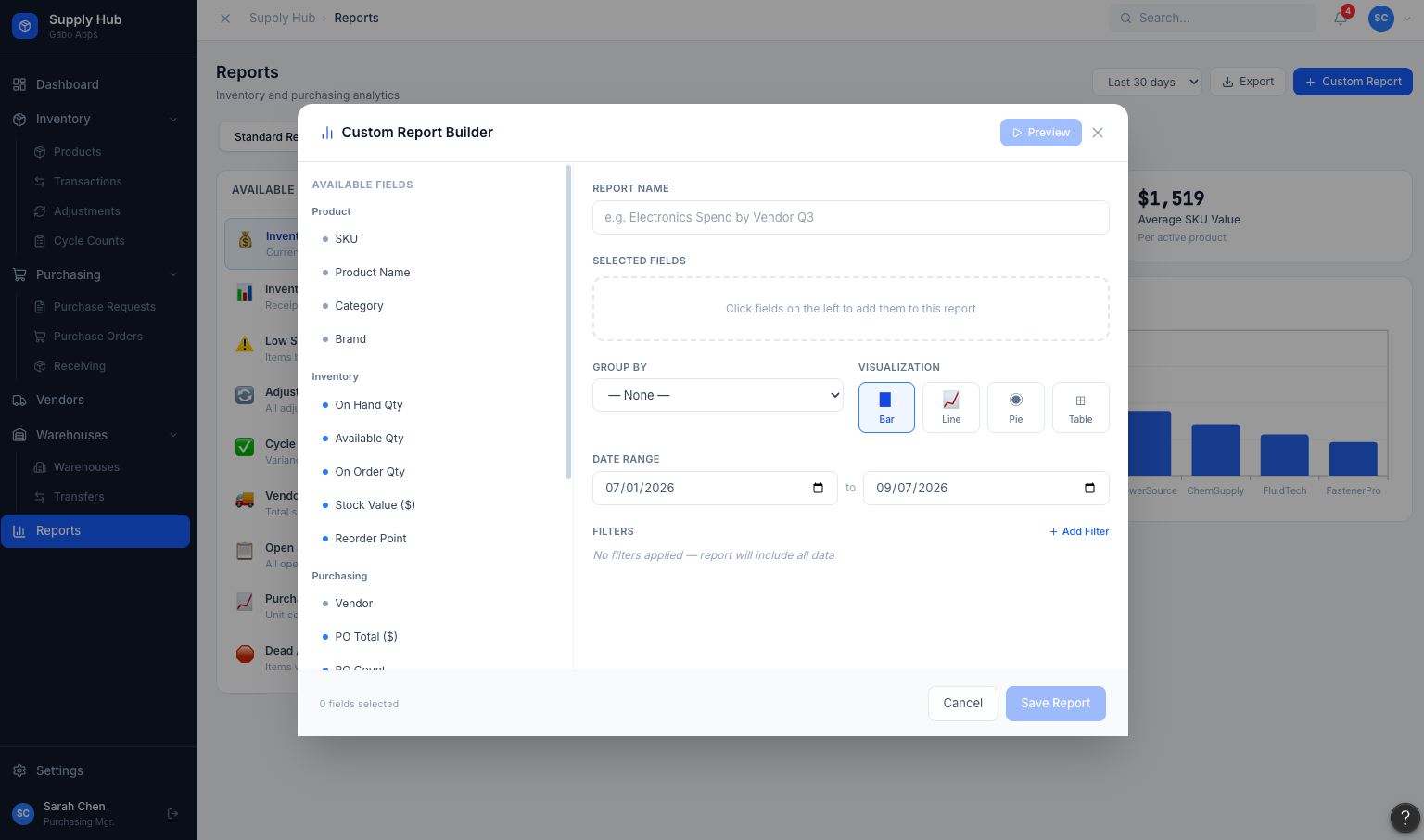
Standard reports cover valuation, movement, shrinkage, and vendor spend — and the custom report builder lets anyone assemble their own from any field, grouping, or chart type.
- Build custom reports for the questions your business actually asks.
- Bar, line, pie, or table output
- Save and revisit custom reports alongside the standard set
Click to expandAudit Trail
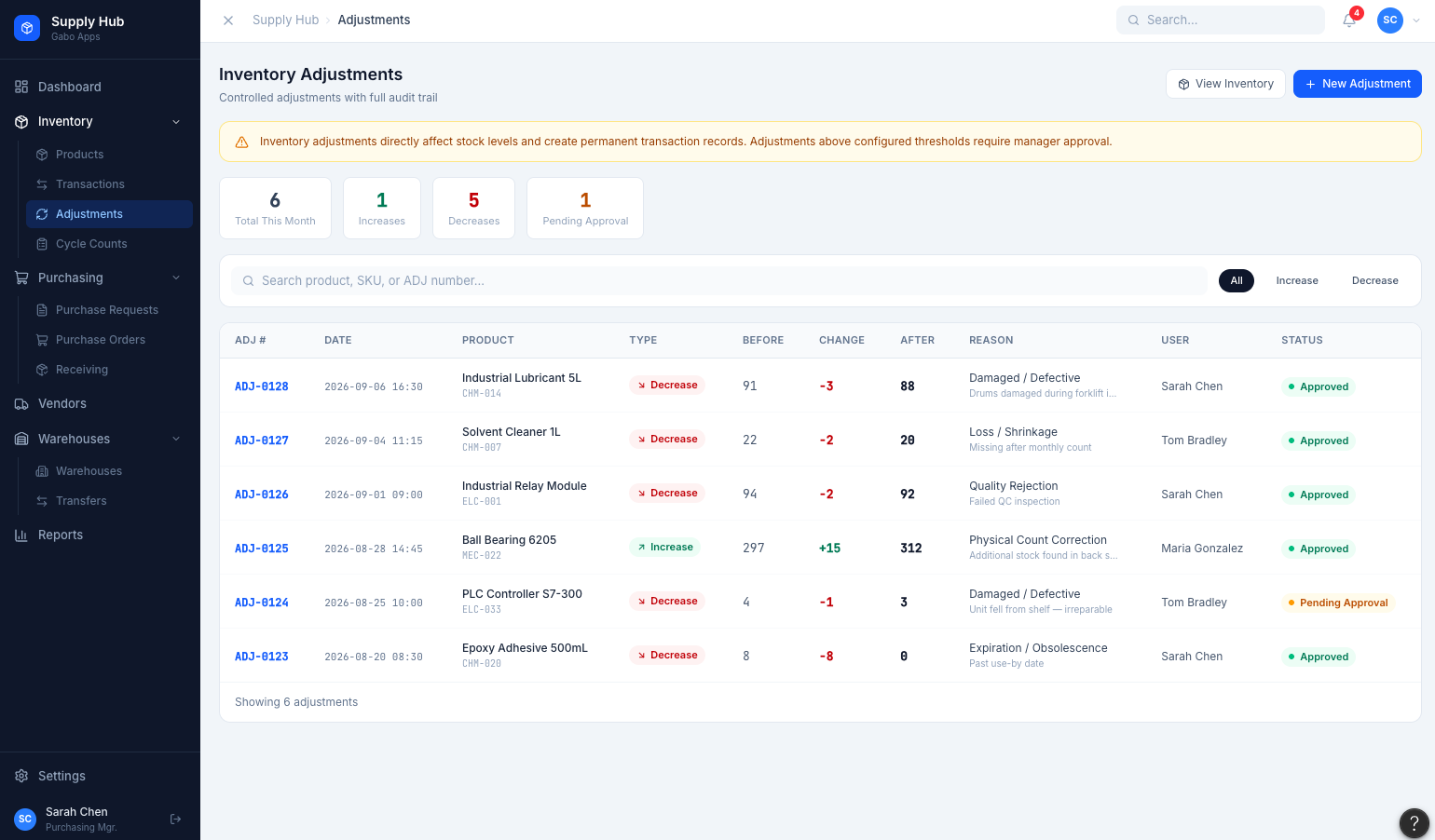
Nothing changes inventory without a reason and a record
Every adjustment requires a reason code and shows the before/after quantity; every receipt, issue, and transfer lands in one searchable transaction ledger.
- Reason-coded adjustments, with approval above threshold
- Complete transaction history — receipts, issues, transfers, adjustments
- Filterable by product, warehouse, user, and date
 Click to expand